
Get your Stripe keys
Three minutes, two keys to copy-paste. Your customers' money goes straight into YOUR Stripe account.
Sign up on Stripe
dashboard.stripe.com/register — your email, a password, that's it. Free (Stripe just takes a fee on each sale, ~2.9% + $0.30).
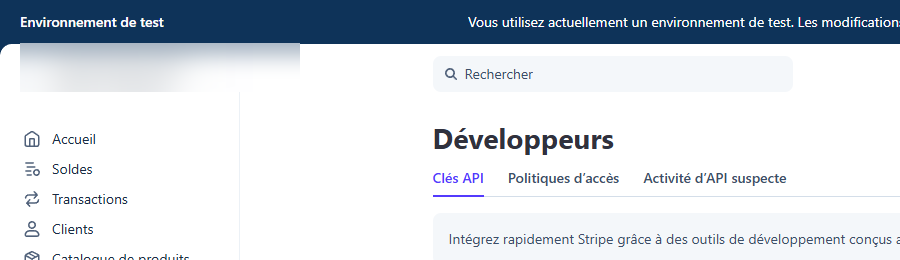
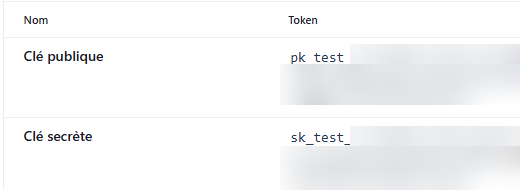
Copy your 2 API keys
Developers → API keys
(or dashboard.stripe.com/apikeys directly).
You'll find the publishable key (pk_test_..., safe to share) and the secret key (sk_test_..., never share it with anyone).
Paste them into your dashboard
Catalog → Order Payment, paste both keys, Save my Stripe keys. Encrypted before being stored — no one at EspaceCommerce can access them.
To accept real payments (not just testing), Stripe will ask for your legal business name, address, and a bank account — but only at that point, later in its own signup flow.
For now, you can copy your keys and try out your shop right away in test mode
(pk_test_/sk_test_, no real card is ever charged). You'll switch to live mode when you're ready to sell for real.
Need help? Write to us and we'll walk you through it. For more complex cases (multiple shareholders, a particular structure), check Stripe's official documentation.